Skip to content
MacWorks 360
HomeAboutServicesCase StudiesAreas We ServeBlogTestimonialsFree Consultation: 973-671-1122

Tag: iPhone

How to Share a Contact Card without Sharing Everything in iOS 16

A man in a gray suit and a woman in a navy blazer exchange business cards outside an office building, while three other professionally dressed people stand and talk in the background.

Apple makes it easy to share contact cards on the iPhone or iPad—just scroll down in a contact and tap Share Contact. But what if you don’t want to share […]

Practice with the Emergency SOS via Satellite Demo, Just in Case
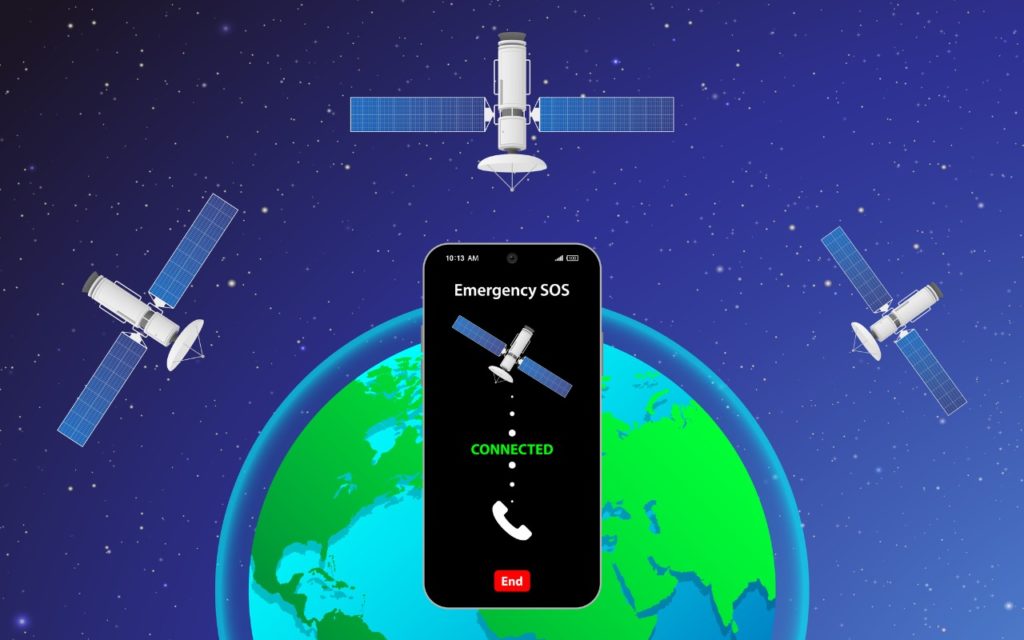
A smartphone displaying Emergency SOS Connected is shown above Earth, with three orbiting satellites, indicating a satellite emergency communication connection. The background is a starry space scene.

In mid-November, Apple launched its new Emergency SOS via satellite feature for the iPhone 14 lineup. If you have an iPhone 14 and find yourself in an emergency situation in […]

You Can Now Use Siri to Reboot Your iPhone or iPad

A hand holds a smartphone with the screen displaying Go ahead, Im listening... indicating a voice assistant is active. The phone is plugged in with a white cable, and a bare foot is visible in the background.

Although iOS and iPadOS are extremely stable, there are times when rebooting your iPhone or iPad can eliminate odd or problematic behavior, and there’s no harm in trying it. In […]

Here’s How to Stop Getting Paste Permission Requests

A man wearing glasses holds a clipboard with a mock “paste” pop-up message and raises his hand in a stop gesture, standing against a white brick wall.

In iOS 16, Apple tightened security by displaying a confirmation alert when you copy data from one app and paste it into another. More security isn’t bad, but these alerts […]

Apple Is Driving the iPhone to eSIM: Here’s What You Need to Know

A pile of SIM cards on a wooden surface, next to a SIM card tray and a metal SIM card ejector tool.

Perhaps the most surprising change in the iPhone 14 line, at least in the United States, was the shift from using removable SIM cards to eSIM. SIM cards—SIM stands for […]

Share Airline Boarding Passes Using Wallet and AirDrop

A female airline staff member in a blue uniform gestures for a woman with luggage to proceed at an airport boarding gate, while another staff member and a man with a backpack stand nearby.

It’s common for one person in a family to handle booking airline tickets and thus to be in charge of checking in for the flight online and downloading boarding passes. […]

Remove Old-Style Today View Widgets from Your iPhone

A smartphone screen displays notifications including a weather update, a British Airways flight from Geneva to London, and a meal scheduler showing no meals planned. Several TV show thumbnails appear below. The phone is on a wooden surface.

In iOS 14, Apple overhauled widgets, allowing you to add them to your Home screen in addition to the Today View accessible by swiping right on the Home screen. App […]

Don’t Trust an App Fully? Hide Your Precise Location from It

Aerial view of downtown Manhattan, New York City, with digital circles and lines overlayed, suggesting technology, connectivity, or data points across the urban landscape.

Most of the time, having your iPhone know precisely where you are is good. You want Maps to tell you exactly when to turn, not after you’ve passed an intersection. […]

Wi-Fi Calling and Wi-Fi Assist: What Are They and How Are They Different?

A person in a suit holds a glowing digital sphere with interconnected network icons and lines, representing global communication and technology, overlaid with data graphs and charts.

Two similar-sounding iOS features generate quite a bit of confusion. Wi-Fi Calling and Wi-Fi Assist both aim to improve your connectivity by using the best network available, but they achieve […]

Read This Article Before Transferring Your Data to a New iPhone

A hand holding an iPhone displaying the Quick Start setup screen, with instructions to bring another device nearby, over a quilted blue and green fabric background.

Are you among the millions of people planning to get a new iPhone 14? It’s exciting, we know, but don’t move too fast when getting started with your new iPhone, […]

← Previous
Next →

Reliable Mac Support. Local Expertise.

Proudly serving Northern and Central New Jersey and the surrounding NJ/NY metro area.

No walk-ins — on-site service by appointment across our service area.

Contact

973-671-1122
info@macworks360.com

Mon–Fri 7:30 AM–6:00 PM
Weekends by appointment

Explore

Services
Case Studies
Areas We Serve
Blog
Contact
Terms of Service


Independent consultant; not affiliated with Apple Inc. © 2026 MacWorks 360. All Rights Reserved.